
How to Build Workouts Faster with the Exercise Library & Slash Commands
As a trainer, your time is your most valuable asset. The less time you spend on admin, the more time you have for coaching, client acquisition, and growing your business. Yet, many trainers still waste hours building workout programs from scratch, manually typing out every exercise, set, and rep.
TrainingPro is designed to eliminate this friction. This tutorial will show you how to leverage two powerful features—the Exercise Library and Slash Commands—to build comprehensive, professional training plans in a fraction of the time.
Phase 1: Add a Custom Exercise to Your Library
Your Exercise Library is your central database for every movement you prescribe. Before you can build workouts, you need to populate it with your preferred exercises. You can use the public library, or add your own custom movements with videos.
Let's add "Wall Ball," a staple in functional fitness and Hyrox training, to our library.
Step 1: Navigate to the Exercise Library
From your dashboard, click on Exercise Library in the left-hand menu.
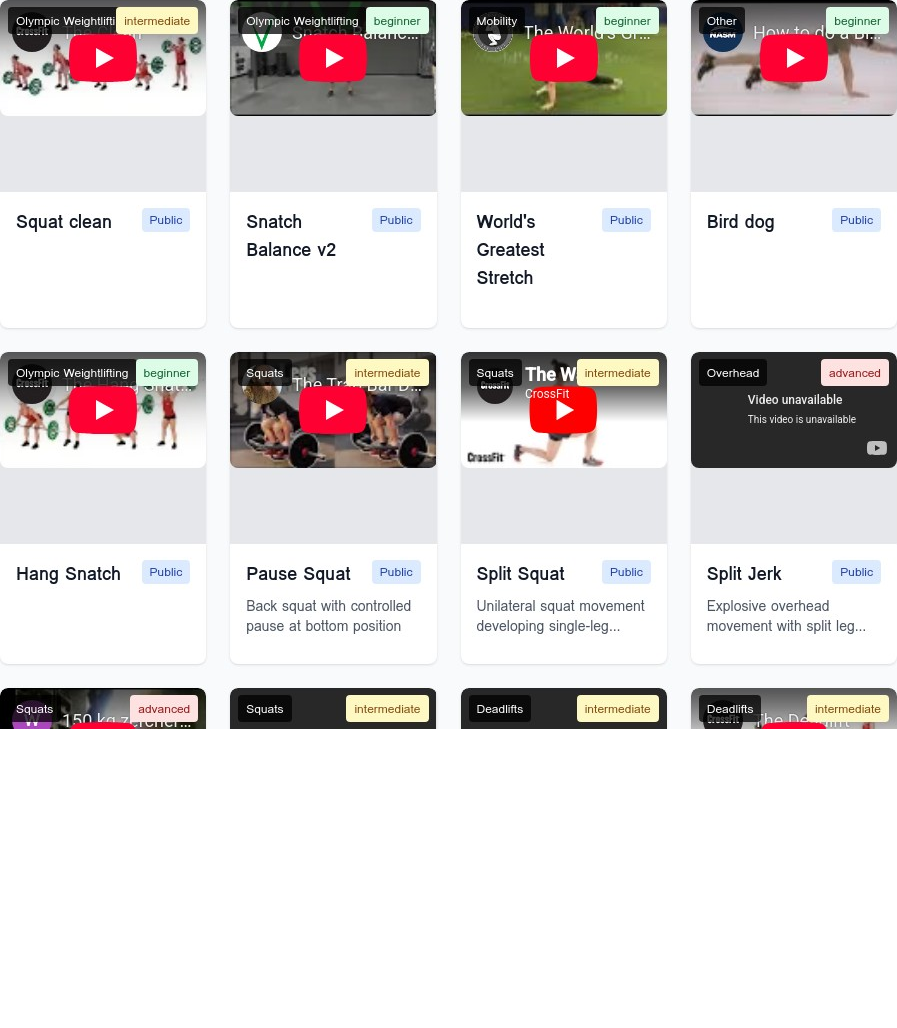
Step 2: Add a New Exercise
Click the Add Exercise button. This opens a form where you can define the exercise name, description, video link, category, and difficulty.

Step 3: Fill in the Exercise Details
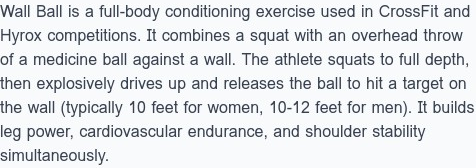
We'll add the details for the Wall Ball, including a descriptive explanation and a YouTube link for the video demonstration. The video will automatically embed, providing a clear visual for your clients.

Step 4: Categorize and Save
Finally, we'll set the category to Conditioning and the difficulty to Intermediate. This makes it easy to find later when building workouts. Once saved, the exercise is now a permanent part of your library.
Phase 2: Build a Workout with Slash Commands
Now that our Wall Ball is in the library, let's use it to create a training plan. We'll build a "Hyrox Prep" template.
Step 1: Create a New Training Plan Template
Go to Training Plans and select the Templates tab. Click Create New Plan and give it a name and description.

Step 2: Use Slash Commands to Add Content
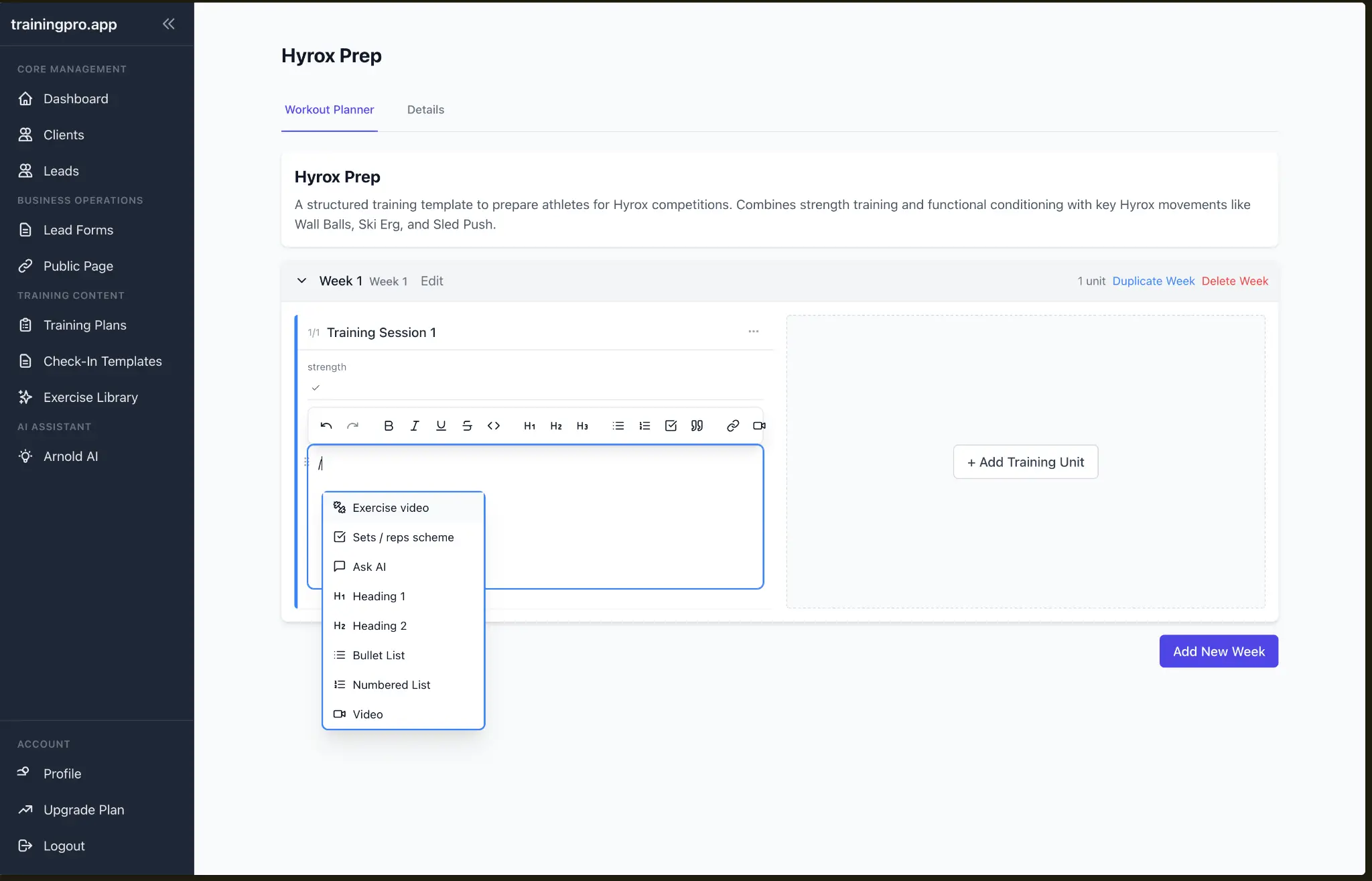
This is where the magic happens. Instead of manually typing, we use the "/" key to bring up a menu of commands. This allows you to quickly add exercises, videos, and structure to your workout.
Step 3: Add an Exercise from Your Library
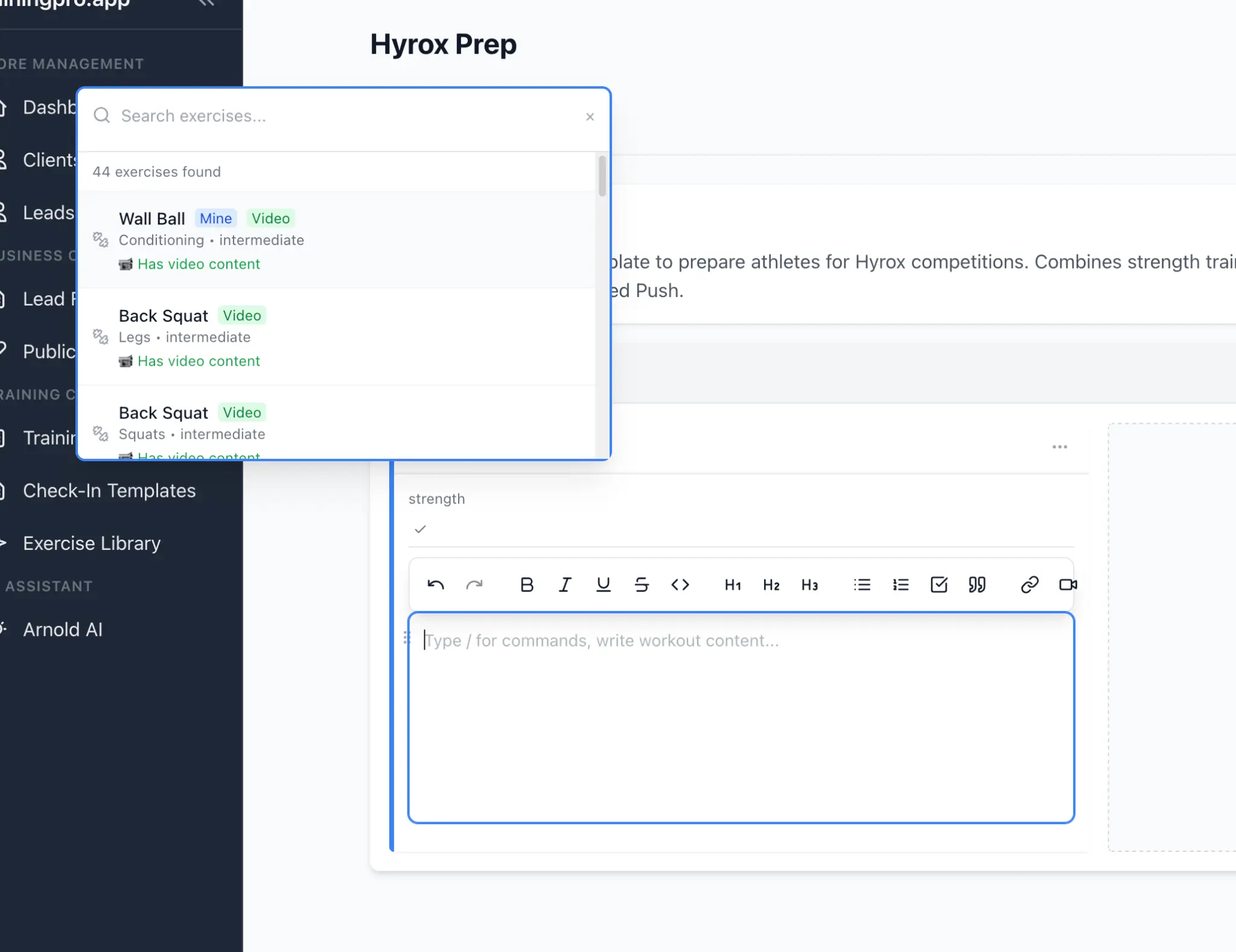
Type / and select Exercise video. A search box appears. Simply type "Wall Ball," and the exercise we just created is ready to be added.
Step 4: Build the Conditioning Workout
Using a combination of text and slash commands, we can quickly build a full conditioning session. Here, we've created a simple but effective workout combining Wall Balls and the Echo Bike, complete with instructions and the embedded Wall Ball video.
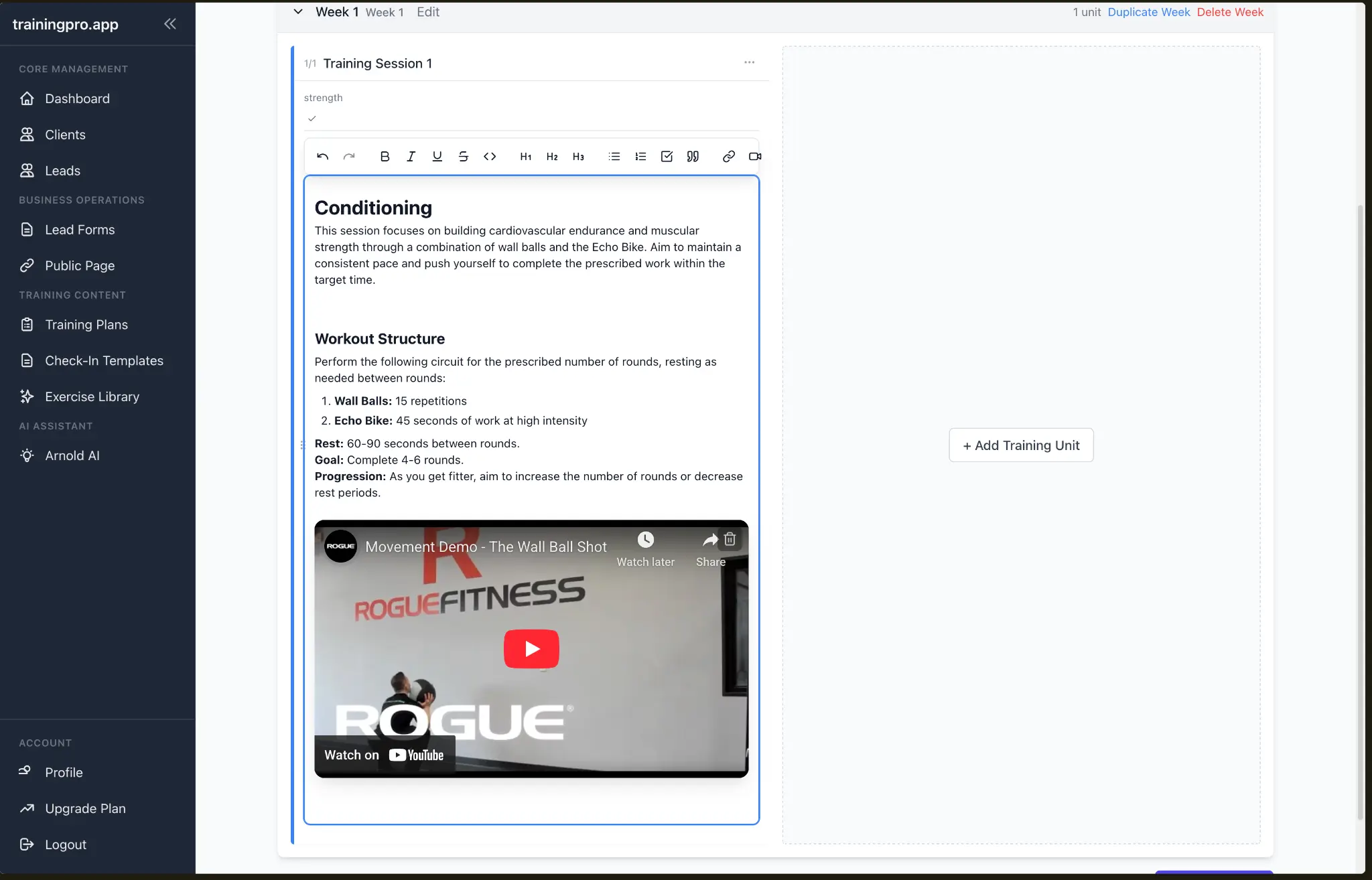
By using the Exercise Library and slash commands, you can create detailed, professional training plans in minutes, not hours. This workflow not only saves you time but also enhances the client experience with clear instructions and embedded videos.
Ready to Transform Your Fitness Business?
Join thousands of trainers using TrainingPro to automate admin, grow their client base, and focus on what they love—coaching.
Start your 14-day free trial • Cancel anytime


