
What is an exercise database? Unlock efficiency for trainers
TL;DR
- An exercise database organizes exercises with detailed metadata, enabling quick filtered searches.
- Effective tagging includes movement patterns, muscles, equipment, difficulty, and contraindications for efficiency.
- Using a structured database drastically reduces program creation time and improves client outcomes.
If you’re still searching YouTube for exercise demos, copy-pasting workouts from old spreadsheets, or rebuilding similar programs from scratch every week, you’re leaving serious time on the table. An exercise database is a structured collection of fitness exercises that includes details like target muscles, equipment requirements, instructions, media aids, and coaching cues, used by personal trainers to efficiently build and automate client workout programs. Getting this system right is the single most scalable upgrade you can make to your programming workflow, and this guide walks you through exactly what it means and how to put it to work.
Key Takeaways
What is an exercise database?
An exercise database is not just a long list of exercise names saved in a document. Think of the difference between a grocery list scrawled on a napkin and a fully stocked, organized pantry where every ingredient is labeled, categorized, and easy to locate. The database is the pantry. It is a structured system with rich metadata behind every single entry.
“An exercise database is a structured collection of fitness exercises, typically including details like name, targeted muscles, equipment, instructions, videos/GIFs, and coaching cues, used by personal trainers to efficiently build and automate client workout programs.”
When you sit down to build a program for a new client, a proper database lets you filter by muscle group, equipment availability, difficulty level, or even injury considerations. You find exactly what you need in seconds. No scrolling, no guessing, no rebuilding from scratch.
Here is what a well-structured exercise entry looks like in practice:
Every field in that table serves a purpose. Coaches who are building an exercise library from the ground up quickly realize that quality metadata is what separates a useful tool from a glorified spreadsheet.
Immediate benefits trainers experience when using a real exercise database:
The shift from a list to a true database is where the efficiency gains begin. It is also the foundation for everything that comes next.
Key methodologies and best practices for organizing exercise data
Once you understand what an exercise database is, the next step is learning how to structure it for practical daily use. Raw data without smart organization is just noise. The way you categorize and tag exercises determines how useful your database actually becomes.
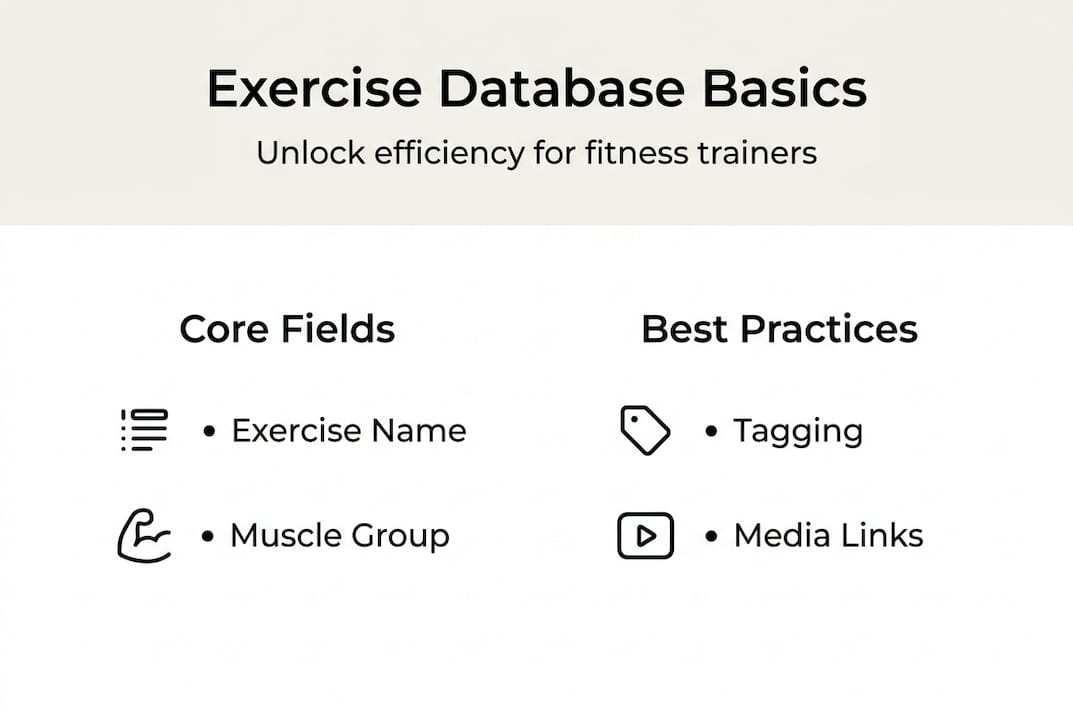
Using structured exercise libraries consistently is what allows you to build programs faster without sacrificing quality. According to established practice, key methodologies include categorizing exercises by movement patterns, muscle groups, equipment, and client levels, with each entry featuring step-by-step mechanics, coaching cues, modifications, and contraindications for safe and effective programming.
Here are the key facets every well-organized exercise database should include:
- Movement pattern tagging. Label every exercise as a push, pull, hinge, squat, carry, rotation, or locomotion pattern. This makes it effortless to build balanced programs and spot when a client’s plan is overloaded in one direction.
- Muscle group classification. Tag both primary and secondary muscles. This doubles as your injury-prevention filter when a client reports knee pain or a shoulder issue.
- Equipment filters. Categorize exercises by the gear they require: barbell, dumbbells, resistance bands, bodyweight, machines, or cables. When a client trains from home, you filter in seconds and build a program that fits their setup.
- Difficulty levels. Assign beginner, intermediate, or advanced ratings. This prevents you from accidentally regressing a high-level athlete or overwhelming a new client on day one.
- Modifications and regressions. Every exercise should have at least one easier alternative. When a client cannot perform a standard movement due to mobility, equipment, or injury, you already have the swap loaded and ready.
- Contraindications. Flag exercises that are inappropriate for specific conditions: herniated discs, rotator cuff injuries, knee replacements. This protects your clients and reduces your liability.
- Coaching cues. Short, memorable verbal cues that translate mechanics into action. Standardizing these across your database means every client gets the same quality of instruction.
Pro Tip
Apply at least five tags to every exercise entry. The more granular your tagging, the faster you can build highly personalized programs. A client with a history of lower back issues, access to only resistance bands, and a beginner fitness level should produce a filtered list of specific exercises in under 30 seconds. If your database cannot do that, your tagging needs work.
Common traps trainers run into and how to sidestep them:
Under-tagging is the most frequent mistake. Trainers add exercises to their database but only include the name and a basic description. When they try to filter for a specific scenario, the results are too broad to be useful. Fix this by completing every field before adding an exercise to your library, even if it takes an extra two minutes per entry upfront.
Missing modifications is equally problematic. If your database only contains the standard version of an exercise, you are back to manual searching the moment a client has a limitation. Build regressions and progressions into the entry itself so adaptations are already there when you need them. You can see how this approach powers better results when you look at practical workout program examples that serve diverse client populations.
Top exercise database solutions and real-world impact for trainers
With an understanding of methodologies, it is time to explore which tools can turn theory into practice for real-world fitness professionals. Not all exercise databases are created equal. Some are open-source and developer-friendly, some are embedded within training software, and others are standalone reference tools.
Established options include ExerciseDB with over 11,000 exercises featuring videos and GIFs, ExRx.net with more than 2,100 entries and mechanics diagrams, and open-source alternatives like WorkoutX with over 1,300 exercises and GIF animations.
Here is how the leading solutions compare:
The sheer size of a database like ExerciseDB is impressive, but raw volume is not always the priority for a working trainer. What matters more is how well the database integrates with your program design workflow. Check out software comparisons for trainers to see how different platforms stack up on practical usability.
Real workflow wins trainers report when switching to database-driven programming:
The workout tracking features built around a solid exercise database also raise client engagement significantly. When clients can see clear exercise instructions and video aids inside their programs, adherence improves and your support workload drops.
For trainers with a technical background or those building custom platforms, open-source APIs like ExerciseDB and WorkoutX offer flexible starting points. You can import their data, extend it with your own entries, and build a proprietary library that reflects your coaching philosophy. That level of ownership is genuinely valuable for trainers developing their own app or branded platform.
How exercise databases enable automation and program design at scale
Now, let us uncover how these databases change the game for day-to-day and long-term client management. The biggest leap forward comes when your database stops being a reference tool and starts actively driving program creation.
“Exercise databases shift trainers from manual exercise hunting to automated, data-driven program design, enhancing scalability for client management while ensuring evidence-based mechanics.”
That shift is significant. Here is what it looks like in practical terms:
Old way (manual programming):
- Open a blank document or spreadsheet.
- Think of exercises from memory or search online.
- Watch multiple videos to confirm the correct movement and coaching cues.
- Type out instructions manually for each exercise.
- Repeat the whole process for every new client or program update.
- Spend 45 to 90 minutes building a single training block.
Automated, database-driven way:
- Set your filters: client goal, available equipment, fitness level, any restrictions.
- Pull a filtered list of matching exercises instantly.
- Drag and drop exercises into a program template.
- Instructions, cues, and media are pre-populated automatically.
- Review and customize as needed.
- Deliver a polished program in under 15 minutes.
The difference is not marginal. It is the kind of time savings that lets you take on five more clients without adding five more hours to your week. Understanding AI for fast workout programming takes this even further by layering intelligent recommendations on top of your database infrastructure.
Pro Tip
When evaluating any training platform, test how their exercise database integrates with their program builder. If you have to manually enter exercises or cannot filter by more than one parameter at a time, the automation value drops significantly. A tight, connected system between your library and your builder is where the real time savings live.
The connection between database quality and client outcomes is also direct. A well-tagged, media-rich library means your clients receive programs they can actually follow independently. They do not need to message you asking what an exercise looks like. That reduces your response load and builds client confidence at the same time. Explore digital fitness workflows and AI automation to understand how trainers are connecting these tools into a cohesive business system, and use a clear step-by-step program design framework to apply this in your own practice.
The truth most trainers miss about exercise databases
After reviewing the technical benefits, it is worth cutting through the excitement and sharing what field experience actually teaches. Most trainers who explore exercise databases fall into the same trap: they obsess over size. They want the biggest library possible, assuming more exercises equals better programming.
That assumption is wrong.
The trainers who get the most out of exercise databases are not the ones with 10,000 entries. They are the ones with 800 entries that are perfectly tagged, thoroughly described, and built around the populations they actually serve. A specialist in postpartum fitness needs a focused library of safe, appropriate movements, not a raw dump of every exercise variation ever recorded.
The real value of a database is not depth of content. It is speed of access to the right content. When you can filter for a hip hinge, at beginner level, using only bodyweight, with no contraindications for knee pain, and get three solid options in under 10 seconds, that is where the power lives. You can build a highly targeted database like this using practical library-building tips that focus on quality and relevance over volume.
There is also a common mistake trainers make when first adopting software solutions: they import a massive pre-built library and never actually curate it. The library becomes overwhelming. They spend more time scrolling through irrelevant exercises than they ever did with their old spreadsheet. Start smaller. Build deliberately. Add exercises as your client base requires them, and tag every entry before you use it.
The trainers who win with this technology are the ones who treat their exercise database as a living coaching tool rather than a static data dump. Revisit it quarterly. Remove exercises you never use. Add new entries when you discover movements that consistently deliver results for your clients. That cycle of curation is what keeps your database useful over the long term.
Unlock the power of an exercise database for your training business
You have the framework. Now it is time to put it into motion with tools built specifically for fitness professionals. TrainingPro brings together everything covered in this article into one connected system: an organized exercise library, AI-powered program building, and streamlined client management.
The automated AI workout builder pulls from a structured exercise library to generate personalized programs in minutes, not hours. Arnold AI, TrainingPro’s built-in assistant, takes it further by accounting for individual client goals, injury history, and training preferences when building each plan. You can download the full AI-Powered Workout Builder Guide to see exactly how this works in practice, or explore Arnold AI directly to experience how intelligent automation handles the programming heavy lifting so you can focus on coaching.
Ready to Transform Your Fitness Business?
Join thousands of trainers using TrainingPro to automate admin, grow their client base, and focus on what they love—coaching.
Start your 14-day free trial • Cancel anytime
Frequently asked questions
An exercise database is structured, searchable, and includes rich metadata like target muscles, equipment tags, and coaching cues, while a basic list is simply a collection of exercise names with no filtering or contextual detail.
Every entry should have a name, targeted muscles, movement pattern, equipment, difficulty level, step-by-step instructions, and coaching cues, and well-built entries also include modifications and contraindications to support safe programming across all client types.
Yes, open-source options like ExerciseDB and WorkoutX offer APIs and downloadable data you can integrate directly into your platform or extend with your own custom entries.
Automation removes manual exercise searching entirely by pulling pre-tagged, media-rich entries that populate program templates automatically, making it realistic to build a full training block in under 15 minutes instead of over an hour.
Start with a platform that offers detailed entries and flexible filtering, then build your library gradually by adding exercises relevant to your specific client population and ensuring every entry is fully tagged before use.


